

aShell
APK 0.24Let's build community together and explore the coolest world of APK Games/Apps.
aShell APK is a powerful Android tool that lets users run local ADB shell commands using Shizuku, offering advanced command-line features for developers and power users.
Information
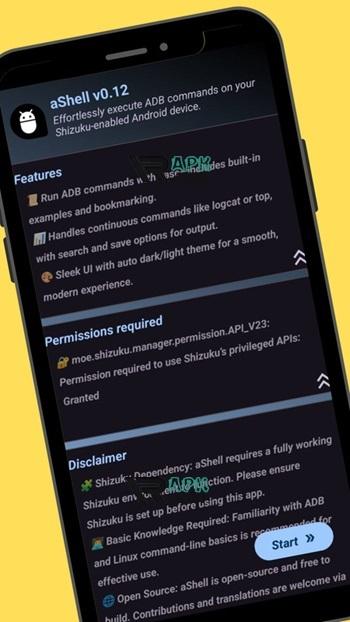
aShell APK For Android – Powerful Local ADB Shell Tool With Shizuku Support
Android has always been known for its flexibility and deep customization options. For advanced users, developers, and technology enthusiasts, accessing system-level tools can open up a whole new level of control over the device. One of the most useful approaches to achieving this level of control is through ADB commands and shell environments.
This is where ashell apk becomes a valuable tool. Designed specifically for Android users who want a convenient local ADB shell environment, the application allows you to run powerful commands directly on your device without relying on a computer connection. Built to work with the Shizuku service, aShell provides a streamlined interface and a set of practical utilities that make command-line interactions on Android far more accessible.
With its elegant design and focus on usability, aShell bridges the gap between complex command-line tools and everyday Android usage. Whether you are managing system processes, monitoring logs, or running advanced commands, this tool offers a lightweight yet powerful solution.
What Is aShell APK?
A Lightweight Local ADB Shell Environment
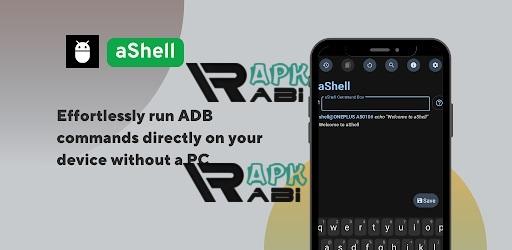
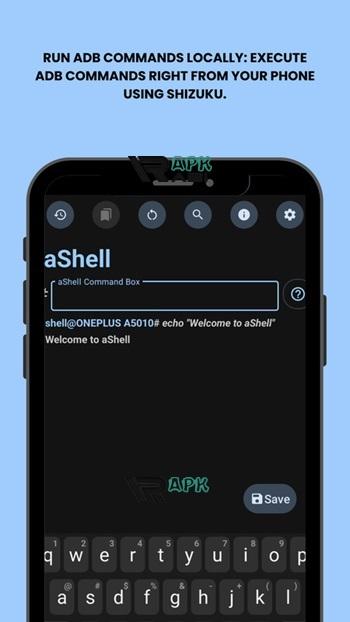
aShell is a command-line interface application that enables users to run ADB shell commands directly on their Android devices. Normally, executing ADB commands requires a computer connected to the device through USB or wireless debugging. However, with the help of Shizuku, aShell can execute these commands locally without external hardware.
The ashell apk app functions as a bridge between the Android operating system and command-line utilities. Instead of relying on complicated setups or external terminals, the app provides a simple interface where commands can be entered and executed instantly.
Advertisement
This makes it particularly useful for developers who frequently test commands, troubleshoot system issues, or automate small tasks directly from their phones or tablets.
Designed For Users Familiar With Command-Line Tools
Unlike many mainstream Android applications, aShell is designed for users who already understand basic Linux or Android debugging commands. If you have experience working with command-line interfaces, the app can become a powerful addition to your mobile toolkit.
Many developers who explore adb ashell apk solutions appreciate how this tool simplifies workflows by removing the need to switch between devices. Everything can be done directly within the Android environment.
The Role Of Shizuku In aShell
Why Shizuku Is Required
One of the most important aspects of using aShell is its reliance on the Shizuku service. Shizuku allows apps to access system-level APIs using ADB permissions without requiring root access. This approach provides powerful functionality while maintaining the safety and integrity of the device.
Because of this dependency, the shizuku ashell apk combination is essential for the application to function correctly. Without a properly running Shizuku environment, the app will not be able to execute commands.
This requirement ensures that the tool remains secure while still offering advanced capabilities typically reserved for rooted devices.
Secure And Open Source Foundations
Shizuku itself is a well-known open-source project trusted by many developers. Since aShell relies on this framework, users benefit from a transparent and community-driven ecosystem.
For those who enjoy exploring development resources, the ashell apk github repository provides additional insights into the project, including updates, contributions, and technical details about how the application works internally.
Clean And Elegant User Interface
A Terminal Experience Optimized For Android
While traditional terminal tools can sometimes feel outdated or overly technical, aShell offers a clean and modern interface designed specifically for mobile devices. The layout is simple, responsive, and optimized for touchscreen interaction.
Users can type commands easily, scroll through command outputs smoothly, and navigate the interface without unnecessary distractions.
The developers have clearly focused on making the terminal environment approachable while still preserving the authenticity of command-line interaction.
Automatic Light And Dark Themes
Another subtle but appreciated feature is the automatic theme support. The application adapts to your system settings and switches between light and dark modes accordingly.
This ensures that the interface remains comfortable to use regardless of lighting conditions or personal preferences.
For developers who spend extended periods analyzing logs or monitoring command outputs, this small design detail greatly improves usability.
Built-In Examples Of Useful Commands
Helping Users Get Started Quickly
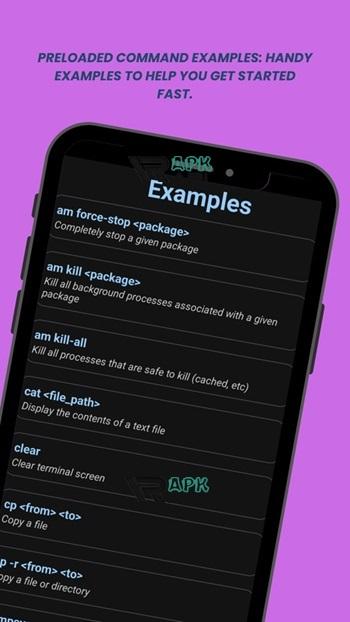
One of the challenges with command-line tools is remembering the syntax of commonly used commands. To make things easier, aShell includes a collection of example commands that users can reference directly within the application.
These examples demonstrate practical use cases such as checking device information, managing processes, or monitoring system activity.
For users exploring the ashell apk android environment for the first time, these command examples provide a helpful starting point without requiring extensive documentation searches.
Learning By Experimentation
The built-in command examples also encourage experimentation. Instead of searching online for every command, users can explore different functionalities directly within the app and see how Android responds in real time.
This makes aShell both a productivity tool and an educational resource for those interested in learning more about the Android command-line environment.
Real-Time Command Monitoring
Handling Continuous Commands
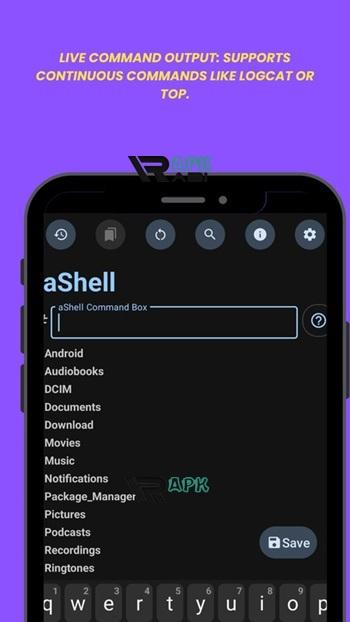
Some commands generate ongoing output rather than returning a single result. Examples include system monitoring tools such as logcat or process trackers like top.
aShell is designed to handle these continuous command outputs smoothly, allowing users to monitor system activity without interruptions.
Advertisement
The application ensures that long-running commands remain stable while maintaining responsive scrolling and interaction.
Useful For Debugging And Diagnostics
Real-time monitoring can be extremely helpful for debugging purposes. Developers can track logs, observe system behavior, and identify potential issues directly from their device.
By supporting continuous commands effectively, aShell becomes a reliable tool for real-time diagnostics.
Searching Through Command Output
Quickly Find Important Information
When working with command outputs, it is common to encounter large volumes of text. Scrolling manually through hundreds of lines can be inefficient and time-consuming.
To solve this problem, aShell includes a search feature that allows users to locate specific text within the latest command output.
This feature is particularly helpful when analyzing logs or debugging complex issues where only a few lines of output may contain the relevant information.
Improving Productivity For Developers
Instead of copying data into external tools, developers can filter and locate information directly within the application. This keeps workflows efficient and focused.
The ability to search command output significantly enhances the overall usability of the tool.
Save Command Results As Text Files
Export Outputs For Later Analysis
Sometimes command results need to be saved for documentation, troubleshooting, or sharing with others. aShell includes an option to export the output of the most recent command as a text file.
This allows users to keep records of system logs, command responses, or debugging results for later analysis.
Even though many users look for ashell apk download resources online, the real value of the application lies in these practical features that improve command-line workflows.
Ideal For Development And Reporting
Saving outputs is especially useful for developers who need to provide logs when reporting issues or collaborating with teammates.
Instead of repeating commands multiple times, users can simply export the results and share them whenever necessary.
Bookmark Frequently Used Commands
Create A Personal Command Library
Many developers and power users rely on the same commands repeatedly. To simplify this process, aShell allows users to bookmark frequently used commands.
Once bookmarked, these commands can be accessed quickly without typing them again.
This feature helps build a personalized command library tailored to each user's workflow.
Faster Workflow And Reduced Errors
Bookmarking commands also reduces the risk of typing mistakes, especially when dealing with complex syntax.
For users exploring the ashell apk latest version, this feature demonstrates the developers’ focus on improving efficiency for advanced users.
Lightweight And Efficient Performance
Minimal System Impact
Despite its powerful capabilities, aShell remains a lightweight application that consumes minimal system resources. It launches quickly, processes commands efficiently, and maintains stable performance even during long monitoring sessions.
Because it focuses solely on command execution and interface clarity, the application avoids unnecessary background processes.
Designed For Modern Android Devices
The app works smoothly across many Android versions and device configurations. As long as the required Shizuku environment is properly configured, users can enjoy a seamless command-line experience.
Some users may search for ashell apk mod, but the standard version already includes all essential features needed for productive command-line usage.
Why aShell Is Valuable For Advanced Android Users
Bringing Desktop-Level Control To Mobile
Many Android enthusiasts appreciate the level of control that desktop environments offer. By integrating ADB command functionality directly into a mobile interface, aShell brings a similar level of power to Android devices.
Users can inspect system processes, analyze logs, and run administrative commands without switching to a computer.
A Tool Built For Developers And Power Users
Unlike casual productivity apps, aShell is clearly built for technically inclined users. Developers, testers, and advanced Android enthusiasts will likely find it particularly useful.
For those comfortable with command-line environments, it becomes a practical extension of their development toolkit.
Conclusion
aShell stands out as a specialized yet highly effective tool for Android users who want direct access to command-line functionality. By integrating with Shizuku, the application provides a secure and efficient way to run ADB commands locally without relying on a computer.
With its elegant interface, support for continuous commands, built-in command examples, and powerful search capabilities, the tool offers a well-rounded terminal experience on mobile devices.
For developers and advanced Android users who regularly interact with system commands, aShell provides a streamlined and convenient environment that brings powerful control directly to the palm of your hand.
Let's build community together and explore the coolest world of APK Games/Apps.






1. This is the safest site on the Internet to download APK. 2. Don't ask about the Play Protect warning, we've explained it well, check here. 3. Do not spam, be polite and careful with your words.